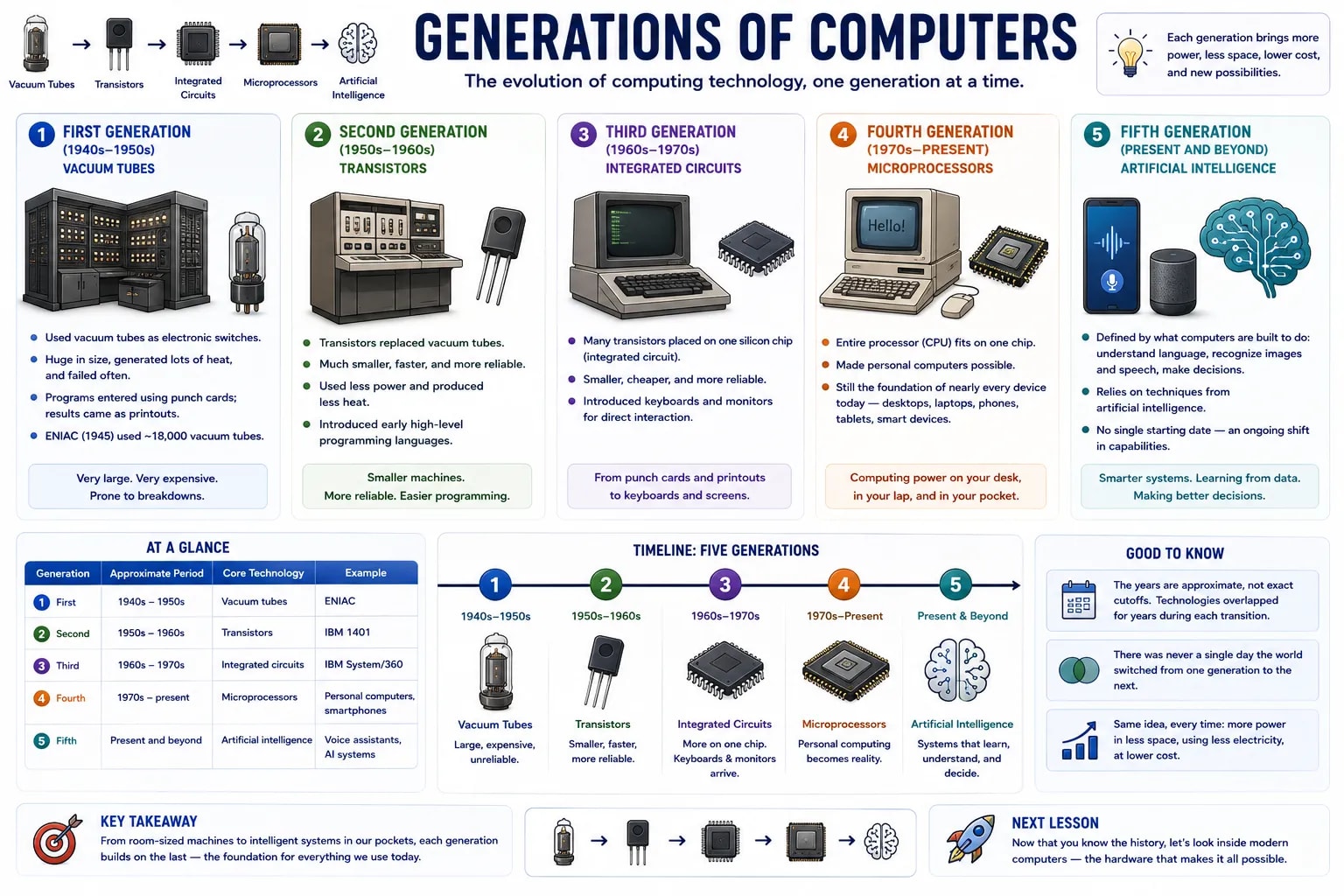
Computers have not always looked or worked the way they do today. Historians and engineers group the evolution of computers into five broad "generations," each defined by the core technology used to build the machine's circuitry. Understanding these generations explains why a phone in your pocket today is more powerful than a machine that once filled an entire room.
The earliest electronic computers used vacuum tubes to store and process information. A vacuum tube worked like an early electronic switch, but each one was roughly the size of a light bulb, generated a large amount of heat, and burned out often. As a result, first-generation computers were enormous — often filling an entire room — extremely expensive to build and run, and prone to breaking down.
Programs were entered using punch cards, and results came out on printouts; there were no keyboards or screens as we know them. ENIAC, completed in 1945, is one of the best-known examples, and used thousands of vacuum tubes.
The invention of the transistor replaced the bulky vacuum tube with a much smaller, more reliable electronic switch. Transistors used far less power, produced far less heat, and rarely failed compared to vacuum tubes — which meant computers could shrink significantly while becoming faster and more dependable at the same time.
This generation also introduced early programming languages that were closer to English than raw machine instructions, making it easier for people to write software without working directly with a machine's internal wiring.
Engineers found a way to place many transistors onto a single small chip of silicon, called an integrated circuit. Instead of wiring together thousands of individual transistors by hand, a single chip could now do the work of many — shrinking computers further, dropping their cost, and improving their reliability at the same time.
This is also the generation where computers first became something an operator could interact with directly, using a keyboard and a monitor, rather than only punch cards and printouts.
The fourth generation arrived when engineers managed to fit an entire processor — the "brain" of a computer — onto one single chip, called a microprocessor. This was the breakthrough that made the personal computer possible: a computer small and affordable enough to sit on a desk, or eventually a lap, instead of filling a room.
Nearly every computer you interact with today — desktops, laptops, smartphones, tablets, and even smart appliances — is a product of this generation, which is still ongoing. What has changed since the 1970s is not the basic idea of a microprocessor, but how much smaller, faster, and more power-efficient each new chip becomes.
The fifth generation does not have a single, agreed starting point the way earlier generations do, because it is defined less by a specific physical part and more by a shift in what computers are being built to do: understand natural language, recognize images and speech, and make decisions using techniques from artificial intelligence. You will look at this generation's ideas in much more depth later in this section.
Here's the same story, compressed into one table:
| Generation | Approximate Period | Core Technology | Example |
|---|---|---|---|
| First | 1940s – 1950s | Vacuum tubes | ENIAC |
| Second | 1950s – 1960s | Transistors | IBM 1401 |
| Third | 1960s – 1970s | Integrated circuits | IBM System/360 |
| Fourth | 1970s – present | Microprocessors | Personal computers, smartphones |
| Fifth | Present and beyond | Artificial intelligence | Voice assistants, AI systems |
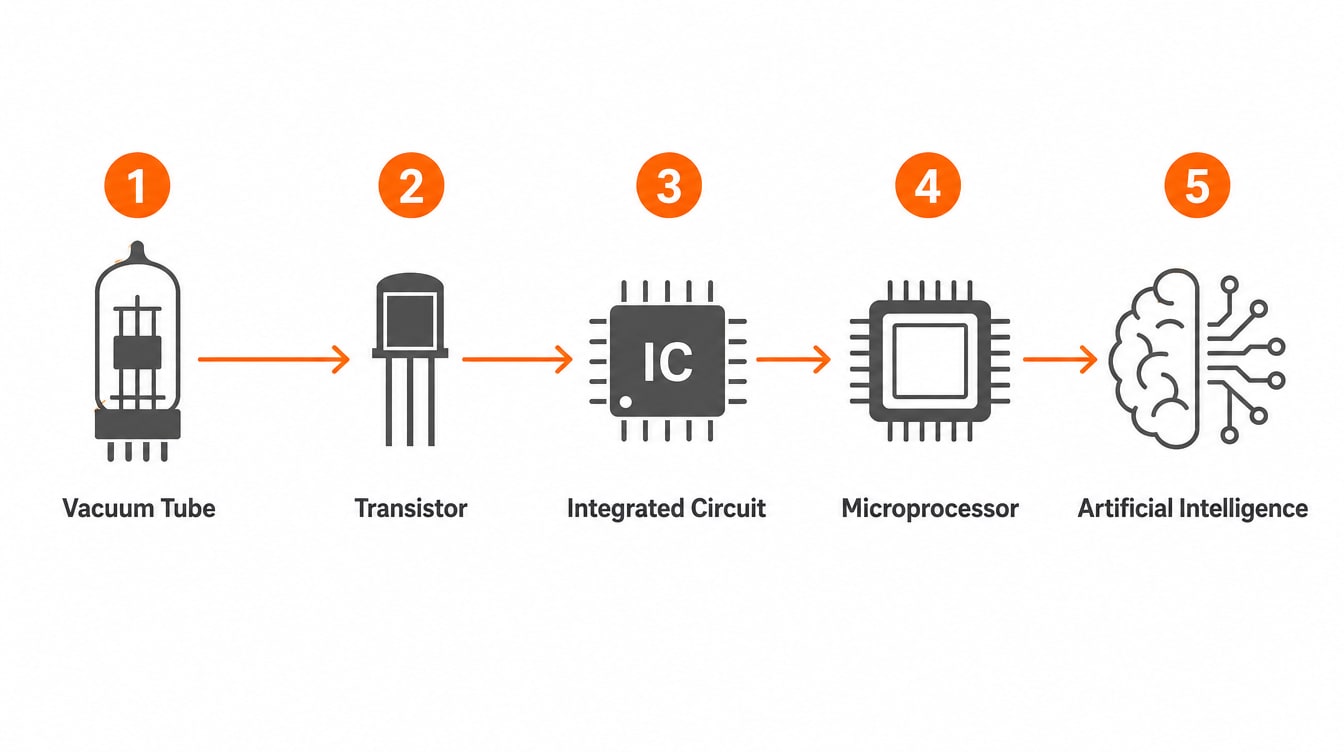
The years are approximate, not exact cutoffs
Different textbooks give slightly different start and end years for each generation, and there was never a single day the world switched from one to the next — the technologies overlapped for years while older machines were phased out. Treat the years above as a rough guide to the order things happened, not an exact boundary.
Each generation's story is really the same idea repeated: fit more computing power into less space, using less electricity, at a lower cost. The next lesson looks at what a computer is actually made of today — the physical hardware inside the machines this history produced.