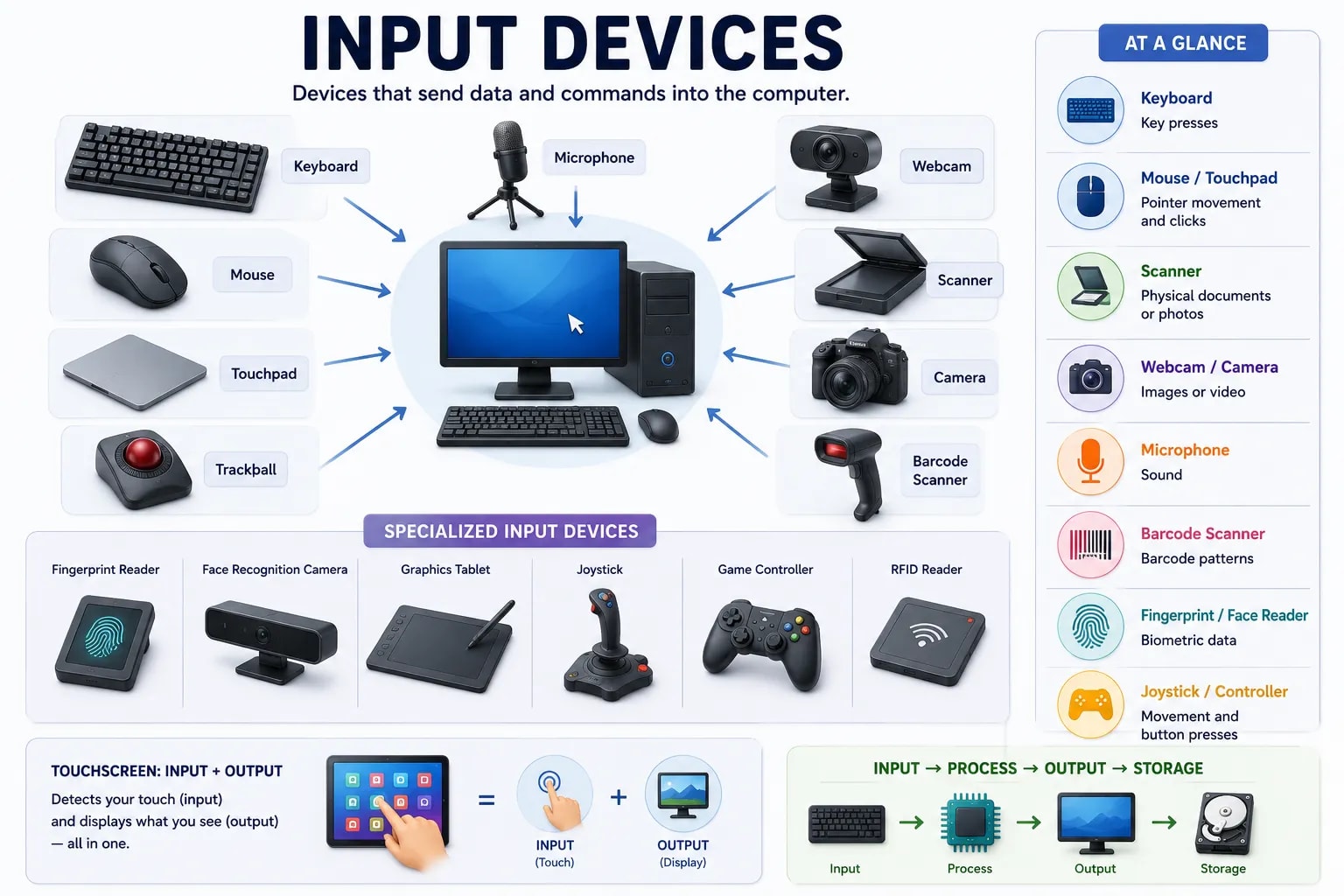
Back in the first lesson of this section you learned that every computer runs on four basic operations, and the very first one is input — getting information into the computer in the first place. This lesson looks at the physical devices that actually do that job.
An input device is any piece of hardware that sends data or commands into a computer for it to process. The test is simple: if the device is sending information to the computer, it is an input device. A keyboard sends the letters you type; a microphone sends the sound it picks up. What the computer does with that information afterward — the "process" step — is a separate question, covered elsewhere in this section.
The keyboard is the most common way to enter text and commands, with each key press sending a specific character or instruction to the computer. The mouse lets you point, click, and select things on screen by moving a cursor — most laptops replace it with a touchpad, which does the same job using your finger directly on a flat surface instead of a separate device. A trackball is an older, less common alternative that works like an upside-down mouse: you roll the ball with your fingers instead of moving the whole device.
A scanner converts a physical document or photo into a digital image the computer can store and display. A webcam does something similar in real time, capturing live video for video calls, streaming, or recording. Digital cameras capture still photos or video that can later be transferred to a computer, and work on the same basic principle — light in, digital data out.
A microphone converts sound waves into an electrical signal the computer can turn into digital audio. This is how voice calls, voice assistants, voice typing, and recorded audio all get into a computer in the first place — nothing else in the input category deals with sound.
Plenty of input devices exist for specific jobs rather than everyday use. A barcode scanner reads the pattern on a product label — common at store checkouts. A fingerprint reader or face-recognition camera reads a physical trait to confirm who you are, a category called biometric input. A joystick or game controller sends movement and button presses for games and simulations. Each of these is still just a device sending information into the computer — only the kind of information changes.
| Device | What it captures | Common use |
|---|---|---|
| Keyboard | Key presses | Typing text and commands |
| Mouse / touchpad | Pointer movement and clicks | Selecting and navigating on screen |
| Scanner | A physical document or photo | Digitizing paper documents |
| Webcam / camera | Still images or video | Video calls, photos, recordings |
| Microphone | Sound | Voice calls, voice typing, recording |
| Barcode scanner | A printed barcode pattern | Store checkouts, inventory |
| Fingerprint / face reader | A physical biometric trait | Unlocking a device, confirming identity |

A Touchscreen Is Two Devices in One
A touchscreen is unusual because it works as both an input device (it detects where you tap) and an output device (it also displays the screen) at the same time, built into a single piece of hardware. You will meet output devices — the hardware that sends information back out of the computer — in the next lesson.
Input gets information in. The next lesson covers the other half of the cycle: how a computer sends results back out to you.