Everything covered so far in this section has been hardware — the physical parts of a computer. But hardware on its own does nothing; it needs software, the instructions that tell it what to do, to actually be useful. This lesson looks at the two broad categories software falls into.
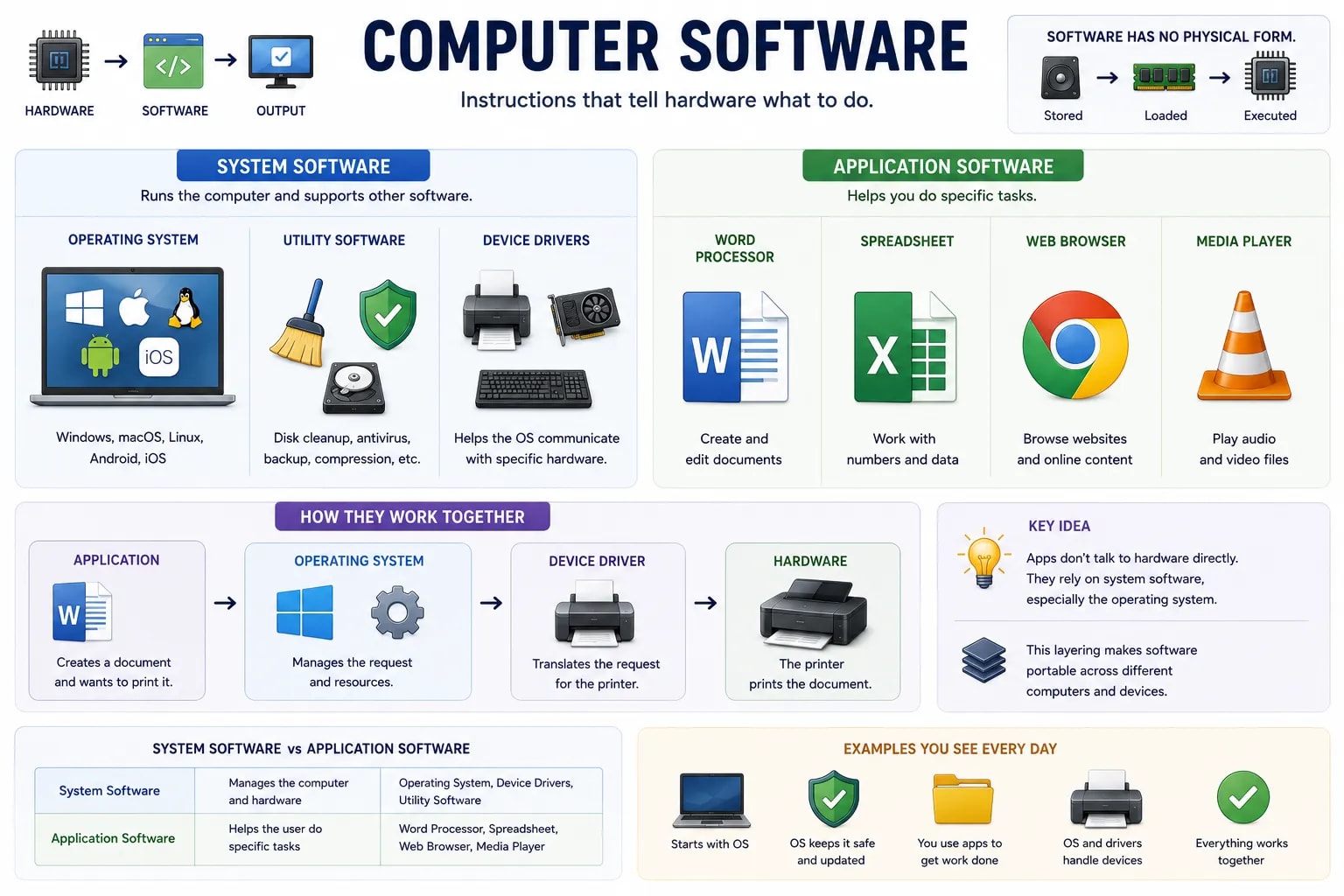
Software is a set of instructions, called a program, that tells hardware exactly what steps to carry out. Software has no physical form of its own — you cannot hold it — but it is stored as data on a storage device, loaded into memory when needed, and carried out by the CPU, tying together nearly everything covered earlier in this section.
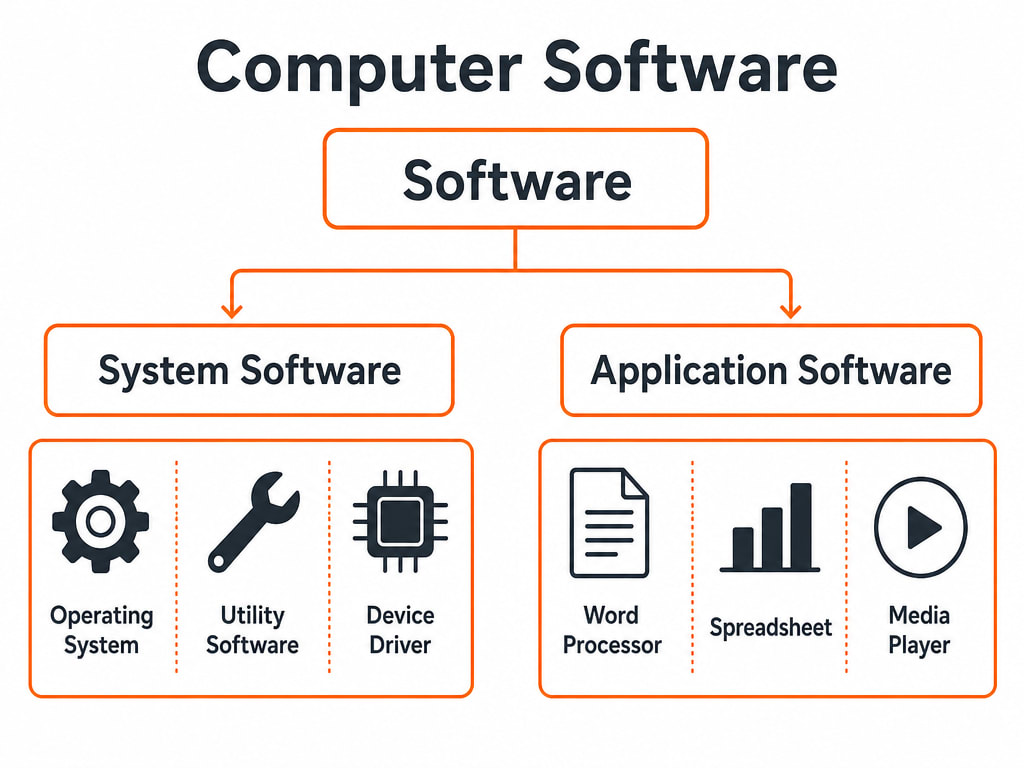
System software manages the computer itself and gives other software a stable platform to run on, rather than solving a task for the end user directly. The most important example is the operating system (covered in depth in the next lesson) — Windows, macOS, Linux, Android, and iOS are all operating systems. Other examples of system software include utility software, which performs maintenance tasks like disk cleanup or antivirus scanning, and device drivers, small programs that let the operating system communicate with a specific piece of hardware, like a printer or graphics card.
Application software (often just called an "app") is built to help a person do a specific, real-world task. A word processor helps you write documents, a spreadsheet program helps you work with numbers, a web browser helps you view websites, and a media player helps you watch or listen to files. Unlike system software, application software is not required for the computer to function — you install exactly the applications you personally need, and different people commonly have entirely different sets installed.
Application software never talks to hardware directly — it relies on system software, particularly the operating system, to handle that connection on its behalf. When a word processor sends a file to a printer, it hands the job to the operating system, which uses the correct device driver to actually communicate with the printer. This layering is what lets the same word processor run on very different computers without being rewritten for every possible piece of hardware.
| Category | Job | Examples |
|---|---|---|
| System software | Manages the computer and supports other software | Operating system, device drivers, utility software |
| Application software | Helps a person do a specific task | Word processor, web browser, media player, spreadsheet |
The Line Can Blur, But the Question Still Works
A single piece of software can sometimes blur this line — a file manager, for instance, feels like an everyday app but is often bundled as part of the operating system itself. When in doubt, ask what the software is really for: keeping the computer running, or getting a specific job done for a person. That question sorts almost anything correctly.
The next lesson zooms in on the single most important piece of system software — the operating system — and what it actually does every time you turn a computer on.