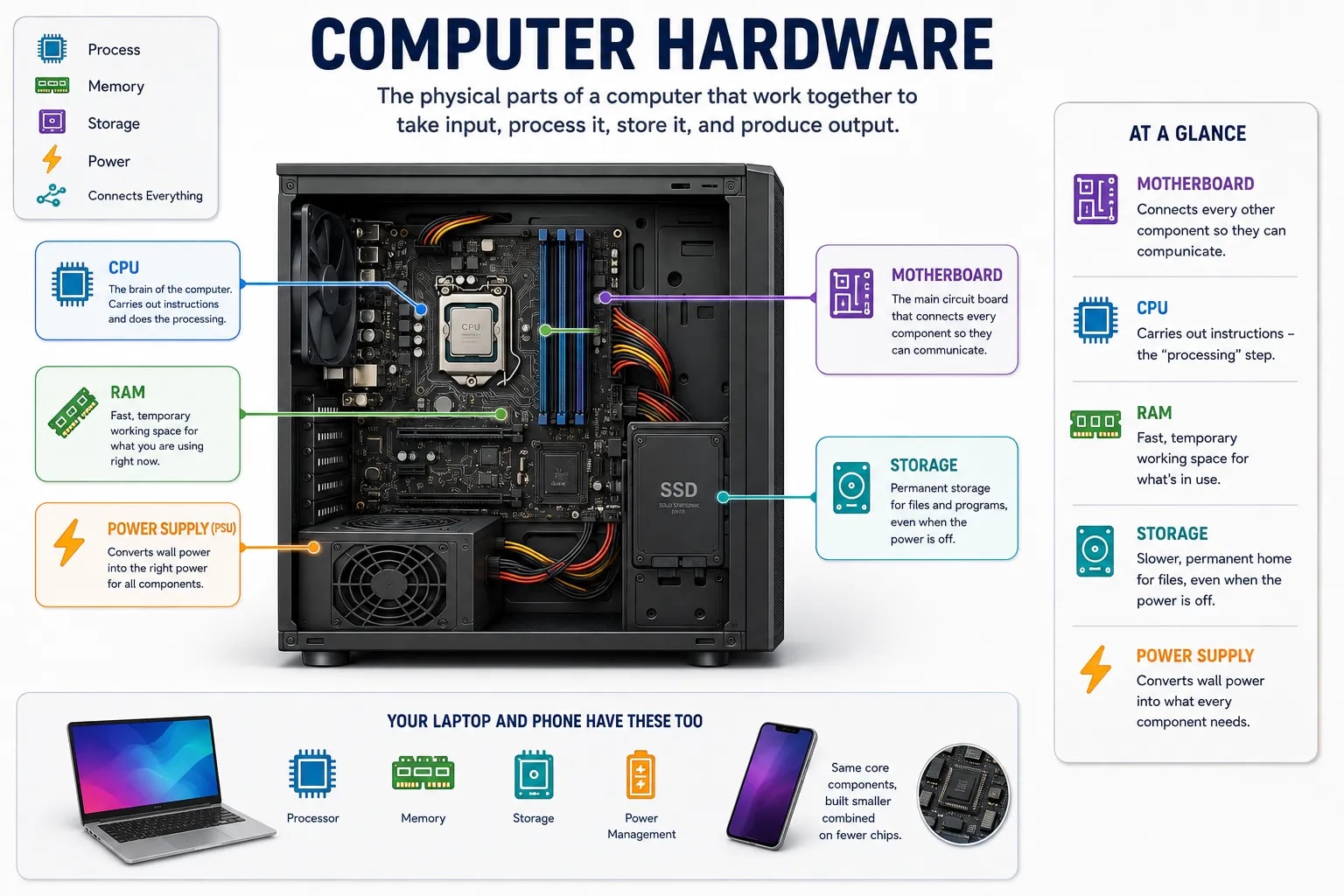
Hardware is every physical part of a computer you could actually pick up and hold — as opposed to software, the programs and instructions that tell that hardware what to do. This lesson opens up the case and looks at the core physical components almost every computer shares, from a budget laptop to a powerful desktop.
If you removed every program from a computer — the operating system, every app, everything — you would still be left with a working collection of physical parts. That collection is the hardware. It is completely useless without software to give it instructions, and software is completely useless without hardware to actually run on — the two only do anything when paired together.
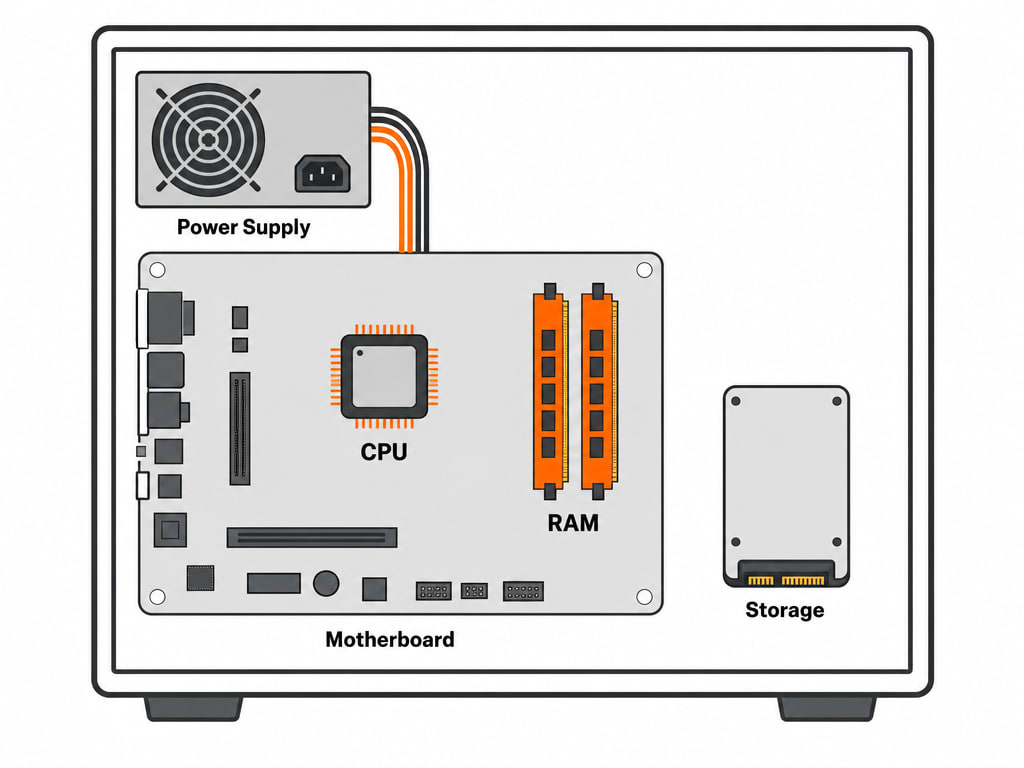
The motherboard is the main circuit board inside a computer, and it is best thought of as the foundation everything else plugs into. The processor, memory, storage drives, and power supply all connect to the motherboard, which contains the wiring that lets them communicate with each other. If a computer were a city, the motherboard would be its road network — every other part depends on it to reach every other part.
The CPU (Central Processing Unit), or processor, is the component that actually carries out instructions — it is what does the "processing" step you read about in the first lesson of this section. A CPU's speed is often measured in gigahertz (GHz), roughly how many basic operations it can perform per second, and modern CPUs contain multiple cores, letting them work on more than one task at the same time rather than doing everything one step at a time.
These two terms confuse almost every beginner, because both are places a computer keeps data — but they serve completely different jobs.
RAM (Random Access Memory) is short-term working space. When you open an app, the computer loads what it needs into RAM so the CPU can access it instantly. RAM is extremely fast, but it is also temporary — everything in it disappears the moment the power turns off, which is exactly why an unsaved document vanishes if the computer crashes.
Storage (a hard drive or solid-state drive) is where files live permanently, whether the computer is on or off — your photos, documents, and installed programs all sit in storage until you delete them. Storage is much slower than RAM, but nothing in it disappears when you turn the computer off. You will look at storage devices in detail in an upcoming lesson.
The power supply unit takes the electricity from a wall outlet and converts it into the specific, steady voltages every other component actually needs to run. Without it, nothing else in the case would receive any power at all — it is easy to overlook because it rarely fails, but every other component depends on it working correctly.
Here's how the core components relate:
| Component | Role |
|---|---|
| Motherboard | Connects every other component so they can communicate |
| CPU | Carries out instructions — the "processing" step |
| RAM | Fast, temporary working space for whatever is currently in use |
| Storage | Slower, permanent home for files, even when the power is off |
| Power Supply | Converts wall power into what every component actually needs |
Your Laptop and Phone Have These Too
A laptop or smartphone contains the exact same core components — a processor, memory, storage, and a way to manage power — just built smaller, often combined onto fewer chips, and permanently sealed inside a case you are not meant to open. The parts are the same idea at a different scale, not a different kind of machine.
Now that you know what a computer is physically made of, the next two lessons look at how you actually get information into it and back out of it — starting with input devices.