The previous lesson called the internet the largest WAN in existence. This lesson opens that up: what the internet is made of, the tools you use to reach it, and what actually happens in the moments after you type a web address.
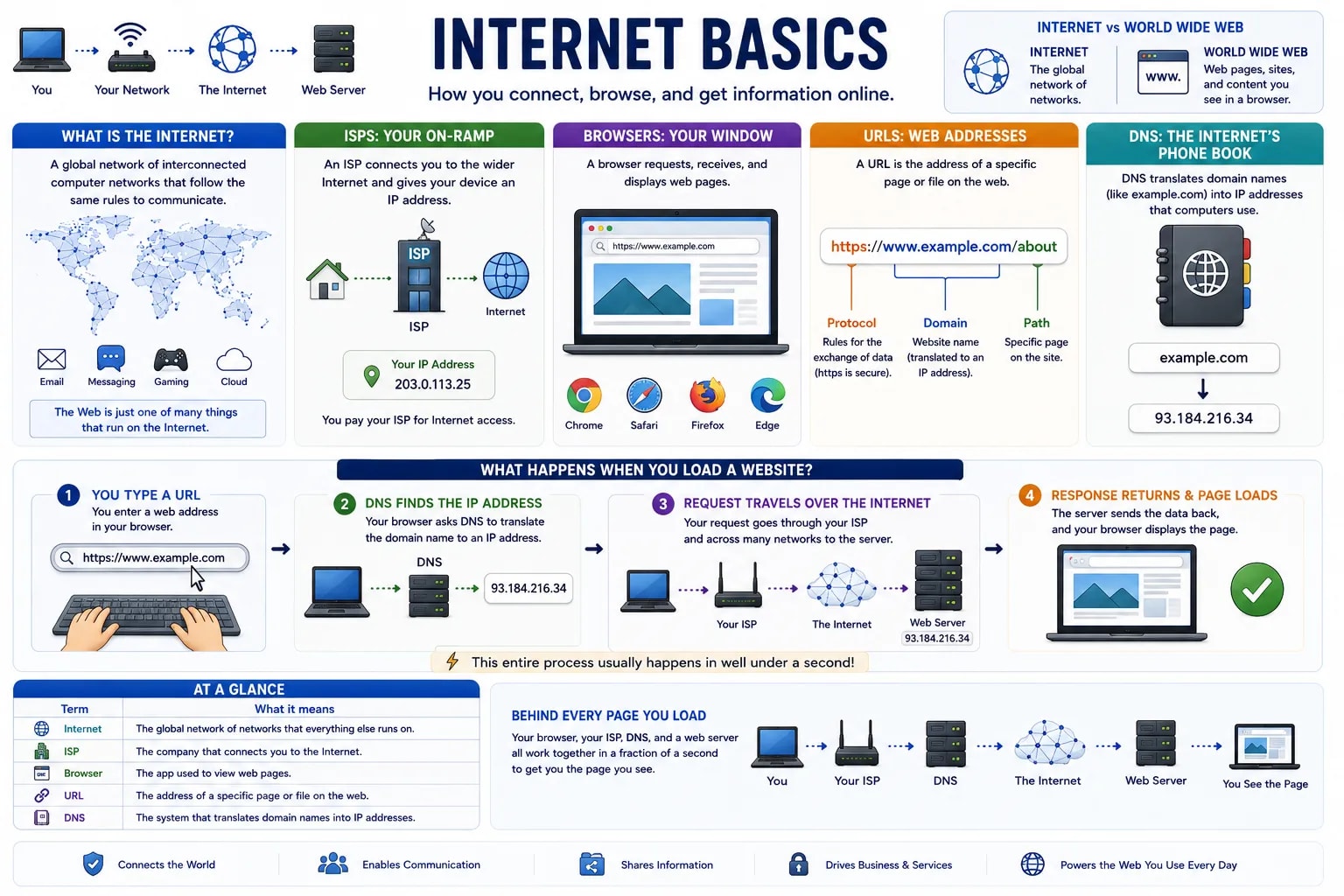
The internet is a global network of interconnected computer networks, all agreeing to communicate using the same shared set of rules. No single company or country owns it — it is millions of separate networks around the world, linked together and cooperating to move data between them. This is different from the World Wide Web, a common source of confusion: the web (pages, images, videos you view in a browser) is just one of many things that runs on top of the internet — email and messaging apps use the same underlying internet without being "the web" at all.
An ISP (Internet Service Provider) is the company that connects your home, office, or phone to the wider internet — you pay an ISP for that access the same way you'd pay a utility company for electricity or water. Your ISP hands your device an IP address (covered in the previous lesson) and routes your traffic out to the rest of the internet's networks.
A web browser is the application software that requests, receives, and displays web pages — Chrome, Safari, Firefox, and Edge are all browsers. When you open a browser, it is acting as a translator: turning your clicks and typed addresses into requests the internet understands, and turning the response back into the readable page you see.
A URL (Uniform Resource Locator) is the address of a specific page or file on the web — what you type or click to go somewhere. A URL like https://www.example.com/about breaks into parts: https is the protocol (the rules used for the exchange), www.example.com is the domain (the site's address, translated into an IP address behind the scenes), and /about is the specific page on that site.
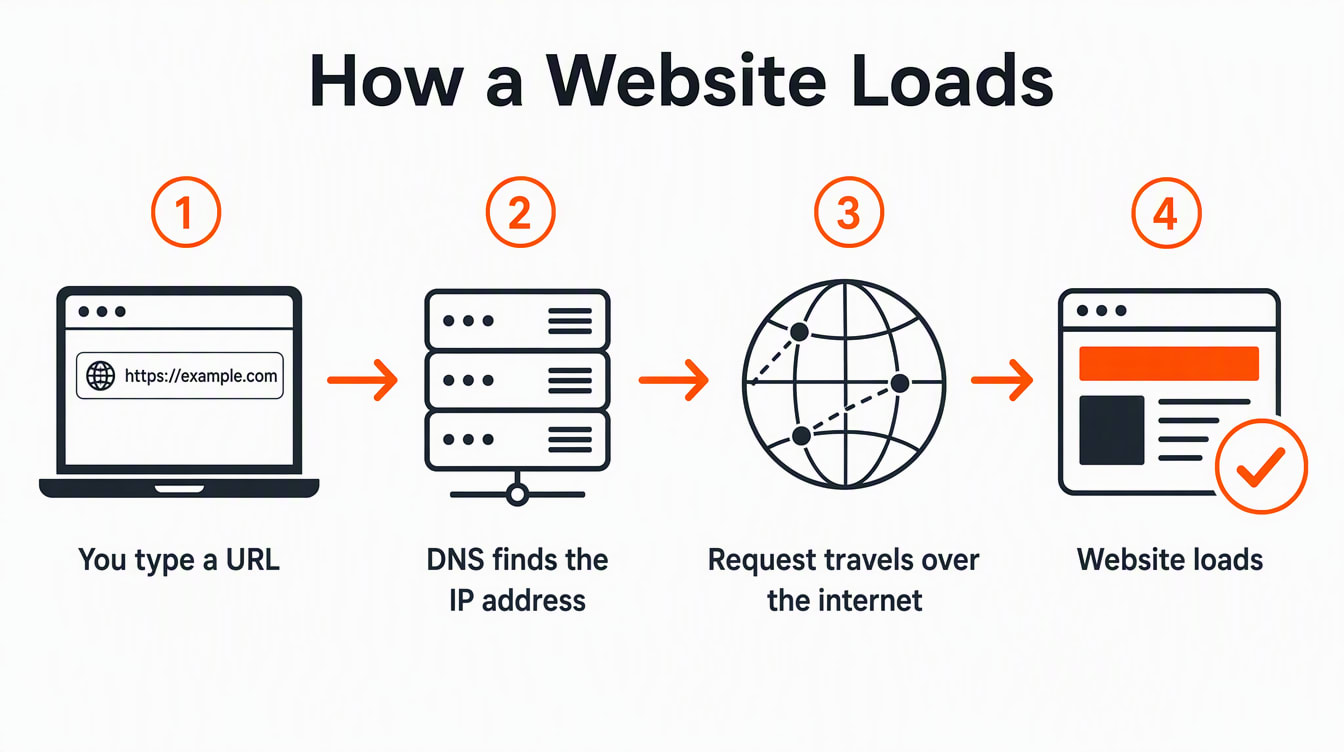
Typing a URL and pressing enter sets off a fast sequence: your browser asks a system called DNS (Domain Name System) to translate the domain name into an IP address, since computers route traffic by IP address, not by name — DNS acts like a phone book for the internet. Your request then travels, through your ISP, across the internet's networks, to the server hosting that site. The server sends the page data back along the same kind of path, and your browser assembles and displays it. All of this typically happens in well under a second.
| Term | What it means |
|---|---|
| Internet | The global network of networks that everything else runs on |
| ISP | The company that connects you to the internet |
| Browser | The app used to view web pages |
| URL | The address of a specific page or file on the web |
| DNS | The system that translates domain names into IP addresses |
You Now Know What Happens Behind Every Page Load
Next time a page loads, you now know roughly what just happened behind the scenes: your browser, your ISP, DNS, and a distant server all cooperated in a fraction of a second to get you that page — the same basic process behind every website you've ever visited.
Now that you understand how data reaches you safely over a network, the next lesson covers the other side of that coin: keeping yourself safe while you're online.