

The last lesson covered image generation for everyday use. This one goes deeper — the actual mechanism behind diffusion models, and the techniques that separate a hobbyist prompt from commercial-grade output.
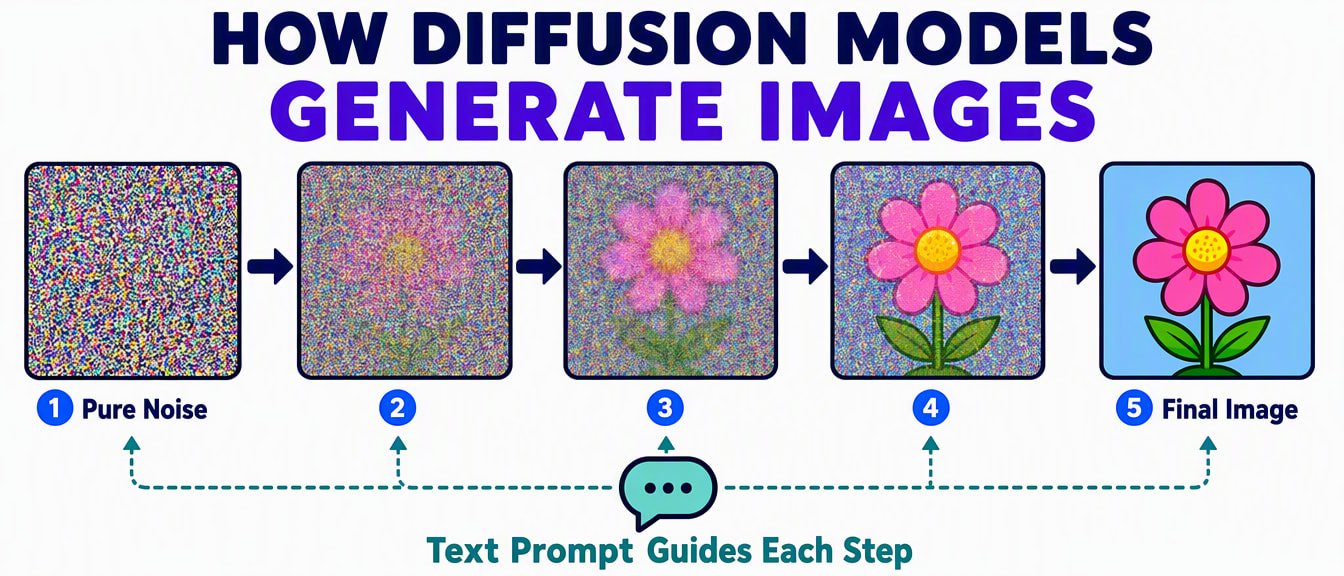
The process happens in three stages:
| Stage | What happens |
|---|---|
| 1. Forward diffusion (training) | The model takes real images and gradually adds random noise to them, step by step, until nothing recognisable remains — and learns exactly how much noise was added at each step. |
| 2. Reverse diffusion (training) | The model then trains on undoing that process — given a noisy image, predict what the clean version looked like. After enough training, it can start from pure random noise and progressively remove it to reveal a coherent image. |
| 3. Inference (when you generate) | Your text prompt is converted into a mathematical representation by a text encoder. The model starts from random noise and uses that representation to guide the denoising process — steering it toward an image matching your words. |
| Tool | Generally known for |
|---|---|
| Stable Diffusion | Open-source, runs locally, highly customisable, a large ecosystem of community-trained add-ons — the most flexible option, at the cost of technical setup. |
| DALL-E | Strong at following a prompt precisely, integrated into ChatGPT and Microsoft's tools, easy to use. |
| Midjourney | Consistently striking, artistic results, widely used in commercial design work. |
| Adobe Firefly | Built specifically for commercial safety, trained only on licensed images, integrated directly into Photoshop and Illustrator. |
| Ideogram | Notably better than most competitors at rendering readable text inside an image. |
[Subject + Action] + [Environment] + [Lighting] + [Camera/Lens style]
+ [Artistic style] + [Mood] + [Technical quality modifiers]
Weak: "a woman in traditional dress"
Professional: "Portrait of a confident woman in a vibrant traditional silk saree, standing in a sunlit courtyard of a heritage building, warm golden-hour lighting, shallow depth of field, shot with an 85mm portrait lens, photorealistic, editorial magazine style, rich colours, soft bokeh background, highly detailed."
Many professional tools let you separately specify what to exclude, which removes common AI artefacts:
Negative: blurry, distorted hands, extra fingers, watermark, text,
logo, bad anatomy, deformed, low quality, pixelated, noiseFor brand work needing the same look across many images, professionals generate one detailed reference image first, then reference it (by style or by "character") for every subsequent generation — most major tools support some version of this. This is what keeps a whole campaign's visuals feeling like one coherent set instead of unrelated one-off images.
A common professional pattern combines a real photo with AI-generated elements rather than generating everything from scratch:
What This Actually Changes
A traditional product photography session is a real cost and time investment. AI-assisted background and variation generation doesn't replace photography entirely, but it changes the economics of producing many visual variations quickly — worth understanding whether you're a photographer, a designer, or a small business owner.
You now understand image generation from the mechanism up to commercial technique. The next lesson moves to a different medium entirely: AI-generated video, audio, and presentations.