

The five principles from the last lesson cover most everyday prompting. This lesson covers named, more deliberate techniques used in professional and technical work — the same ones companies use when building AI-powered products, not just chatting casually.
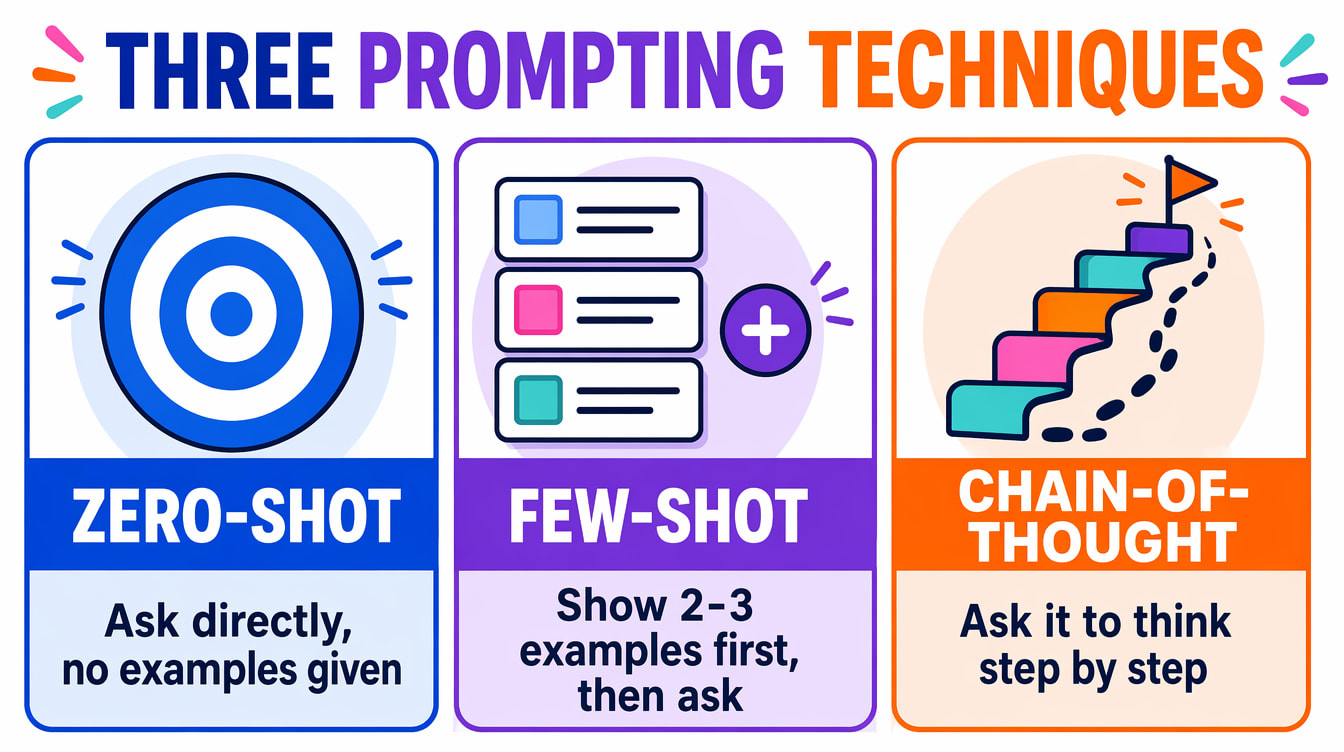
You give the AI a task with no examples, relying entirely on what it already learned during training. This works well for common, familiar tasks:
Classify the following customer reviews as Positive, Negative, or Neutral:

"The product arrived quickly but the packaging was damaged."
"Absolutely love this! Best purchase I've made."
"It's okay, nothing special."
Zero-shot fails more often on unusual or highly specific tasks — that's exactly when the next technique helps.
You provide 2–5 example input/output pairs before the real task, showing the model the exact pattern you want:
Translate English to formal Bengali:

English: "Please submit your application by Friday."
Bengali: "অনুগ্রহ করে শুক্রবারের মধ্যে আপনার আবেদন জমা দিন।"

English: "The meeting has been rescheduled to 3 PM."
Bengali: "সভাটি বিকেল ৩টায় পুনর্নির্ধারিত হয়েছে।"

English: "We regret to inform you that your application was unsuccessful."
Bengali:
Use few-shot whenever the model keeps giving inconsistent results or the wrong format — showing examples is far more reliable than describing the format in words.
Telling the model to think step by step before answering dramatically improves accuracy on reasoning, maths, and logic:
Without "think step by step" (often wrong):
Q: A train leaves City A at 8 AM going 80 km/h, another leaves City B
at 10 AM going 100 km/h, and the cities are 1,400 km apart. When do
they meet?
A: [model often guesses wrong]

With "think step by step" (much more accurate):
Q: [same question]
Think step by step. Show each calculation.
A: Step 1: By 10 AM, the first train has travelled 80 × 2 = 160 km...
[model proceeds correctly]
One Phrase, Consistently Better Answers
Add "think step by step" or "show your working" to any prompt involving reasoning, maths, code debugging, or logical deduction — it consistently and noticeably improves the answer.
A system prompt is an instruction given to the AI before the actual conversation begins, setting its role, personality, and constraints. In a normal chat interface, you can simulate one by putting detailed instructions right at the start of the conversation:
You are an expert full-stack web developer. You write clean, secure,
well-commented code. You always:
1. Follow standard security best practices
2. Validate all user input
3. Use parameterised queries for any database code
4. Explain what each code block does in a short comment
5. Point out security issues in any code I show you

Respond only in code plus a brief explanation. No lengthy introductions.
The underlying AI model is identical either way — the system prompt is what turns a generic assistant into a specialised tool. This is exactly how companies build AI-powered products: a customer-service bot, a coding assistant, and a writing coach can all be the same base model with a different system prompt.
Professional workflows often need AI output in a specific format another tool can actually use — not free-flowing prose. Ask for it explicitly:
Extract the following information from this customer complaint email
and return it as valid JSON only, with no other text:

Email: "Dear support, I ordered a blue kurta (order #A12345) on
15 June but received a red one. Please replace it immediately.
My contact is name@email.com."

Return this exact structure:
{
  "order_number": "",
  "issue_type": "",
  "product": "",
  "customer_email": "",
  "priority": "low/medium/high"
}
This turns an AI assistant from a chat tool into a data-processing step that can feed directly into other software — genuinely useful the moment you're combining AI with any other tool or workflow.
Sometimes it's just as important to say what you don't want: "explain this without using any technical jargon," or "list ideas, but don't include anything that requires a budget." Stating a constraint directly is often more reliable than hoping the model infers it.
A Security Topic, Not Just a Prompting Trick
One more advanced topic — prompt injection, where malicious text hidden inside content an AI processes tries to hijack its instructions — is a real security concern for anyone building AI-powered tools, not just a prompting technique. It's covered properly in this section's lesson on AI security.
Beyond the prompt itself, most AI tools — especially when used through an API or a "playground" — expose settings that control how the model picks its next word. Knowing these helps explain why the same prompt can give a different answer twice, and lets you dial an AI toward consistency or creativity on purpose.
| Setting | What it controls |
|---|---|
| Temperature | Randomness. Low (near 0) gives focused, repeatable answers — good for facts and code. High (near 1-2) gives varied, creative answers — good for brainstorming. |
| Top-K / Top-P | How many candidate next-words the model is allowed to consider. Lower values narrow it to the most likely few words; higher values allow more variety. |
| Max Tokens | A hard cap on response length. Useful to stop a runaway answer or keep API costs predictable. |
| Stop Sequences | Text that tells the model to stop generating the moment it appears — e.g. stopping right after a closing ``` in a code block. |
You won't see all of these in every AI chat app — many hide them behind a simple "creative / balanced / precise" toggle. But the underlying idea is the same: temperature is the one worth knowing by name, since it's the setting you'll most often see exposed directly.
Chain-of-thought covers most everyday cases. A few related techniques go further for harder problems — worth recognising by name even if you reach for them rarely.
| Technique | What it does |
|---|---|
| Step-back prompting | Ask the model a broader, more general question first ("what pricing models exist for SaaS products?"), then use that answer to tackle the specific question. Helps when a direct answer tends to be too narrow or misses context. |
| Self-consistency | Ask the same question multiple times (or with slightly different phrasing) and go with the answer that comes up most often. Catches cases where one single attempt happens to reason its way to a wrong answer. |
| ReAct (Reason + Act) | The model alternates between reasoning about what to do and actually taking an action — like searching the web or calling a tool — using each result to decide the next step. This is the core idea behind how AI agents work, covered in this course's own agents lesson. |
You now have a genuinely professional prompting toolkit. The next two lessons put all of this to work on one of AI's most visible capabilities: generating images.