

The previous lessons covered each hosting type on its own. This one puts them together into a direct answer: for each stack taught on this site, which kind of hosting actually fits, and why.
| What you built | Fits | Why |
|---|---|---|
| Plain HTML / CSS / JS | Static hosting | No server-side processing — the cheapest, simplest match |
| A React app | Static or cloud/managed hosting | React builds down to static files; cloud platforms add easy automated deployment on top |
| A PHP site with a database | Shared hosting | Shared hosting is built around exactly this combination — PHP plus MySQL is its default assumption |
| WordPress | Shared or managed WordPress hosting | Same underlying need as plain PHP, with WordPress-specific conveniences layered on managed options |
| A Node.js app or API | VPS or a cloud/managed platform built for Node | Traditional shared hosting generally cannot run a persistent Node.js process at all |
| SQL / a database-backed project generally | Whatever hosts the application layer, plus a database service | Most hosting types bundle or connect to a database; the app's own hosting type usually decides this by default |
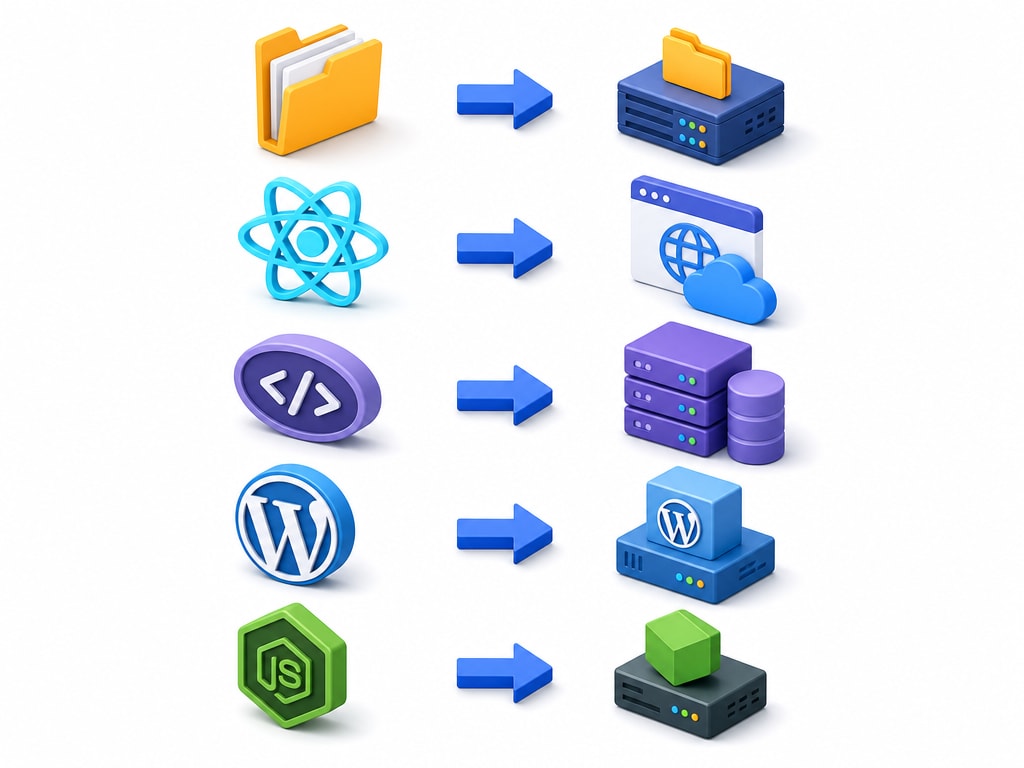
PHP and WordPress work on shared hosting because a shared server can start a fresh PHP process for each incoming request and let it finish quickly. Node.js is built differently — an app typically needs to run as one continuous, always-on process, which is exactly the kind of thing traditional shared hosting was never designed to allow. This is precisely why the Node.js course's own content doesn't assume shared hosting as a destination — a VPS, a managed Node platform, or a cloud service built for exactly this is the realistic path.
Choosing the wrong hosting type doesn't usually fail quietly — buying shared hosting for a Node.js app typically means it simply won't run at all, not that it runs poorly. Buying an expensive VPS for a simple static portfolio site works, but wastes money and adds server-maintenance responsibility for no real benefit. Getting this match right the first time avoids both failure modes.
When genuinely unsure, static or shared hosting is almost always the safer, cheaper starting guess for anything that isn't Node.js — it is easy to move to something more powerful later, and hard to justify paying for VPS-level control before you actually need it.
The next lesson covers what each of these tiers actually costs, in shape rather than fixed numbers. After that, the practical mechanics of connecting a domain and deploying code — and then a dedicated walkthrough for each stack, applying exactly this table to real steps.