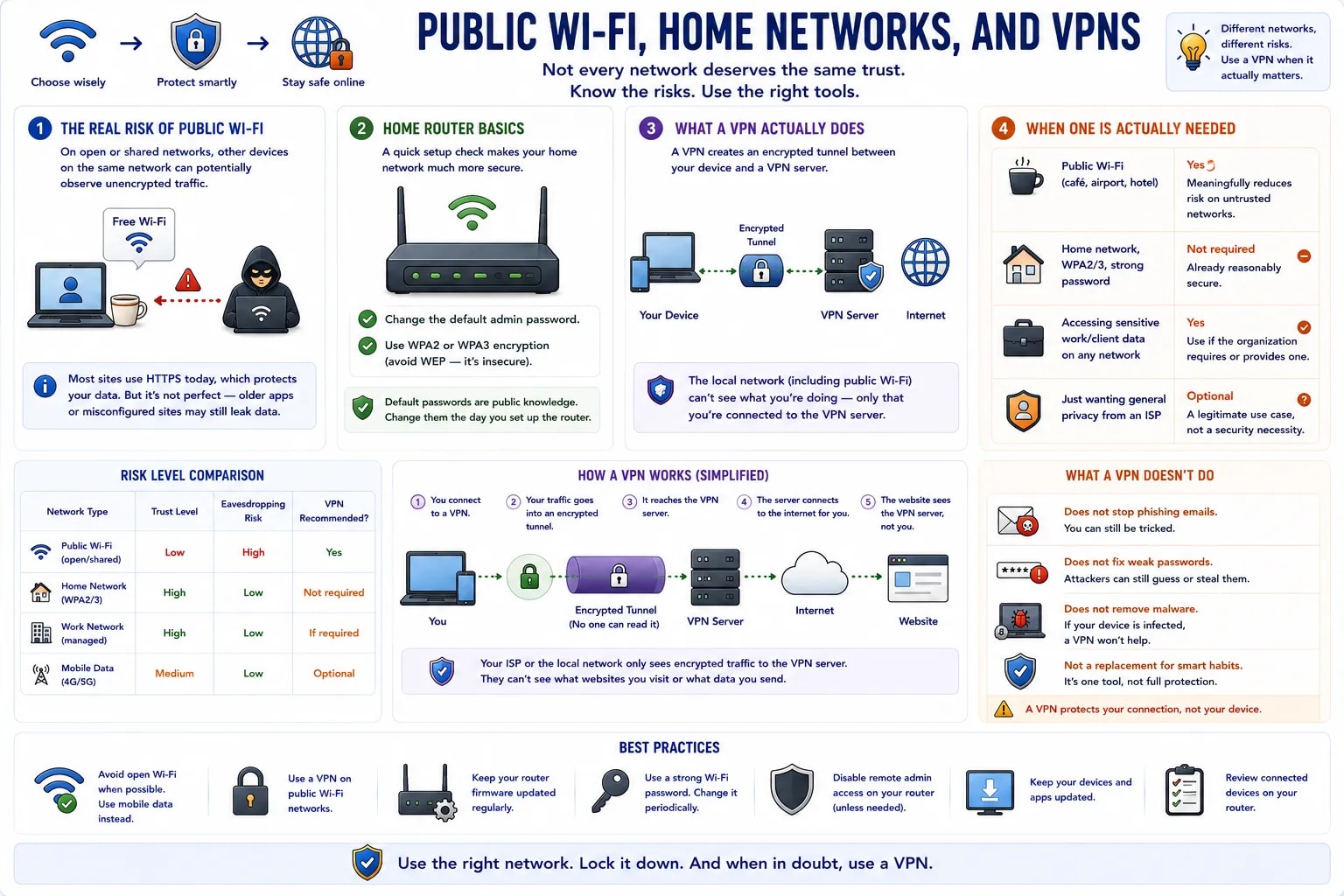
Not every network deserves the same trust. A coffee shop's open Wi-Fi and a password-protected home router carry genuinely different risk levels, and knowing the difference decides when the extra step of a VPN is actually worth it.
On an open or shared network, other devices on the same network can potentially observe unencrypted traffic — this is less of a concern than it used to be, since most sites now use HTTPS by default, but it's not zero, particularly for older apps or misconfigured sites still sending some data in the clear.
A home router is worth a five-minute check: change the default admin password (the factory default is often printed on the router itself, and is public knowledge for that model), and confirm the Wi-Fi network itself uses WPA2 or WPA3 encryption rather than the outdated, effectively unprotected WEP.
A VPN (Virtual Private Network) routes traffic through an encrypted tunnel to a server operated by the VPN provider before it reaches its destination — the local network (including a public Wi-Fi hotspot) can no longer see what's inside that traffic, only that an encrypted connection to the VPN server exists.
| Situation | VPN recommended? |
|---|---|
| Public Wi-Fi (café, airport, hotel) | Yes — meaningfully reduces risk on an untrusted network |
| Home network, WPA2/3, strong password | Not required — already reasonably secure |
| Accessing sensitive work/client data on any network | Yes, if the organization requires or provides one |
| Just wanting general privacy from an ISP | Optional — a legitimate use case, not a security necessity |
What a VPN doesn't do
A VPN protects data in transit between a device and the VPN server — it does nothing against a phishing email, a weak password, or malware already on the device. It's one specific tool for one specific risk, not general-purpose protection.