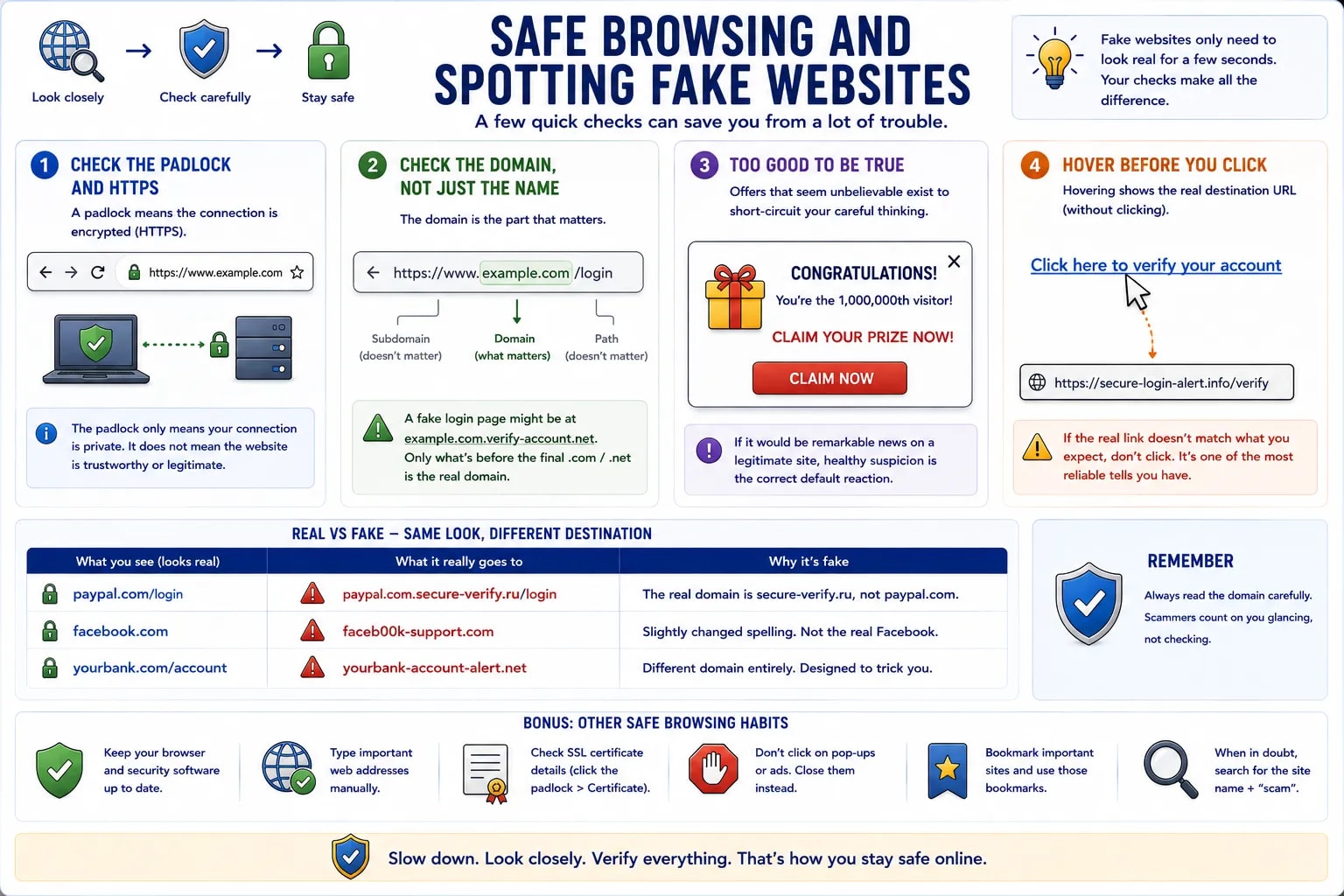
Most fake websites don't need to be technically sophisticated — they only need to look convincing for the few seconds it takes someone to enter a password or card number. A handful of checks catch the overwhelming majority of them before that happens.
A padlock icon in the address bar means the connection to the site is encrypted (HTTPS) — but it does not mean the site is trustworthy or legitimate. Fake sites can and do use HTTPS too; the padlock only confirms the connection itself can't be eavesdropped on, nothing about who actually runs the site.
A URL breaks into pieces: https://www.example.com/login — the domain (example.com) is the part that actually matters, not the path after it or a subdomain in front of it. A fake login page might live at example.com.verify-account.net — everything before the real domain is meaningless dressing; only what's directly before the final .com/.net/etc. counts.
A pop-up announcing a prize, a "you're the 1,000,000th visitor," or an unbelievable discount exists specifically to short-circuit careful thinking before it starts. If an offer would be remarkable news on a legitimate site, healthy suspicion is the correct default reaction, not excitement.
Hovering the mouse over a link (without clicking) shows the actual destination URL, usually in the browser's status bar. A link displayed as "Click here to verify your account" that actually points somewhere completely unrelated is one of the most reliable single tells available.
| Real | Fake (same visible text, different destination) |
|---|---|
| paypal.com/login | paypal.com.secure-verify.ru/login |
| facebook.com | faceb00k-support.com |
| yourbank.com/account | yourbank-account-alert.net |