Basics/Computer Basics already covers what the common malware types are called. This lesson goes one level deeper — how malware actually gets in, what it does once it's there, and what to do if a device is already infected.
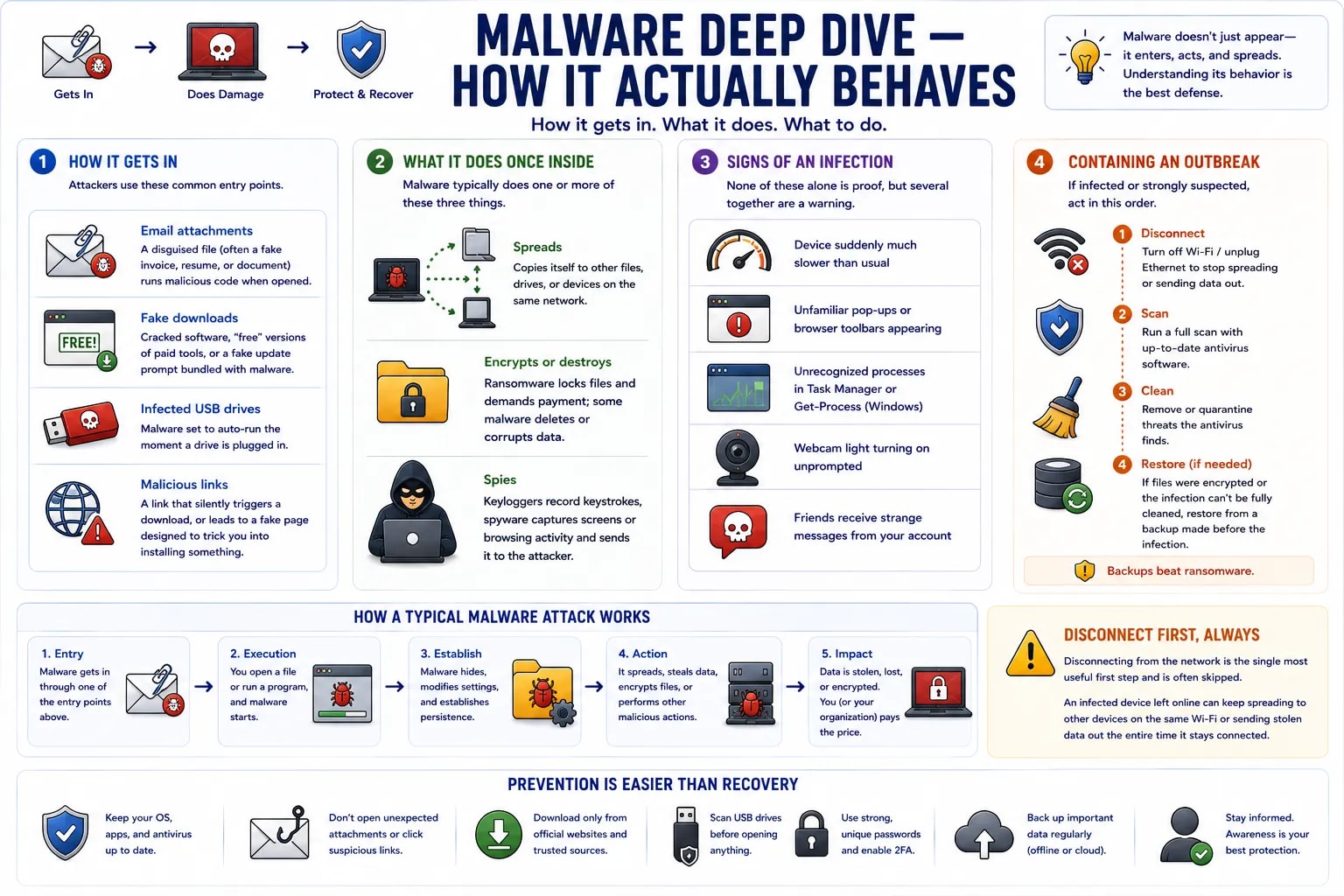
| Entry point | How it works |
|---|---|
| Email attachments | A disguised file (often a fake invoice, resume, or document) runs malicious code when opened |
| Fake downloads | Cracked software, "free" versions of paid tools, or a fake update prompt bundled with malware |
| Infected USB drives | Malware set to auto-run the moment a drive is plugged in |
| Malicious links | A link that silently triggers a download, or leads to a fake page designed to trick a user into installing something |
Once running, malware typically does one or more of three things: spreads (copies itself to other files, drives, or devices on the same network), encrypts or destroys (ransomware locks files and demands payment; some malware simply deletes or corrupts data), and spies (keyloggers record keystrokes, spyware quietly captures screens or browsing activity and sends it to the attacker).
A device suddenly running much slower than usual, unfamiliar pop-ups or browser toolbars appearing, unrecognized processes in Task Manager (or Get-Process, from the Windows command line lesson), the webcam light turning on unprompted, or friends receiving strange messages from an account are all common warning signs — none of them proof on their own, but worth investigating together.
If a device is confirmed or strongly suspected to be infected, the order matters: disconnect it from the network first (Wi-Fi off, cable unplugged) to stop it spreading or sending data out, then run a full scan with up-to-date antivirus software, and — if files were encrypted or the infection can't be fully cleaned — restore from a backup made before the infection rather than trusting the compromised device's current state.
Disconnect first, always
Disconnecting from the network is the single most useful first step and is often skipped. An infected device left online can keep spreading to other devices on the same Wi-Fi or sending stolen data out the entire time it stays connected.