

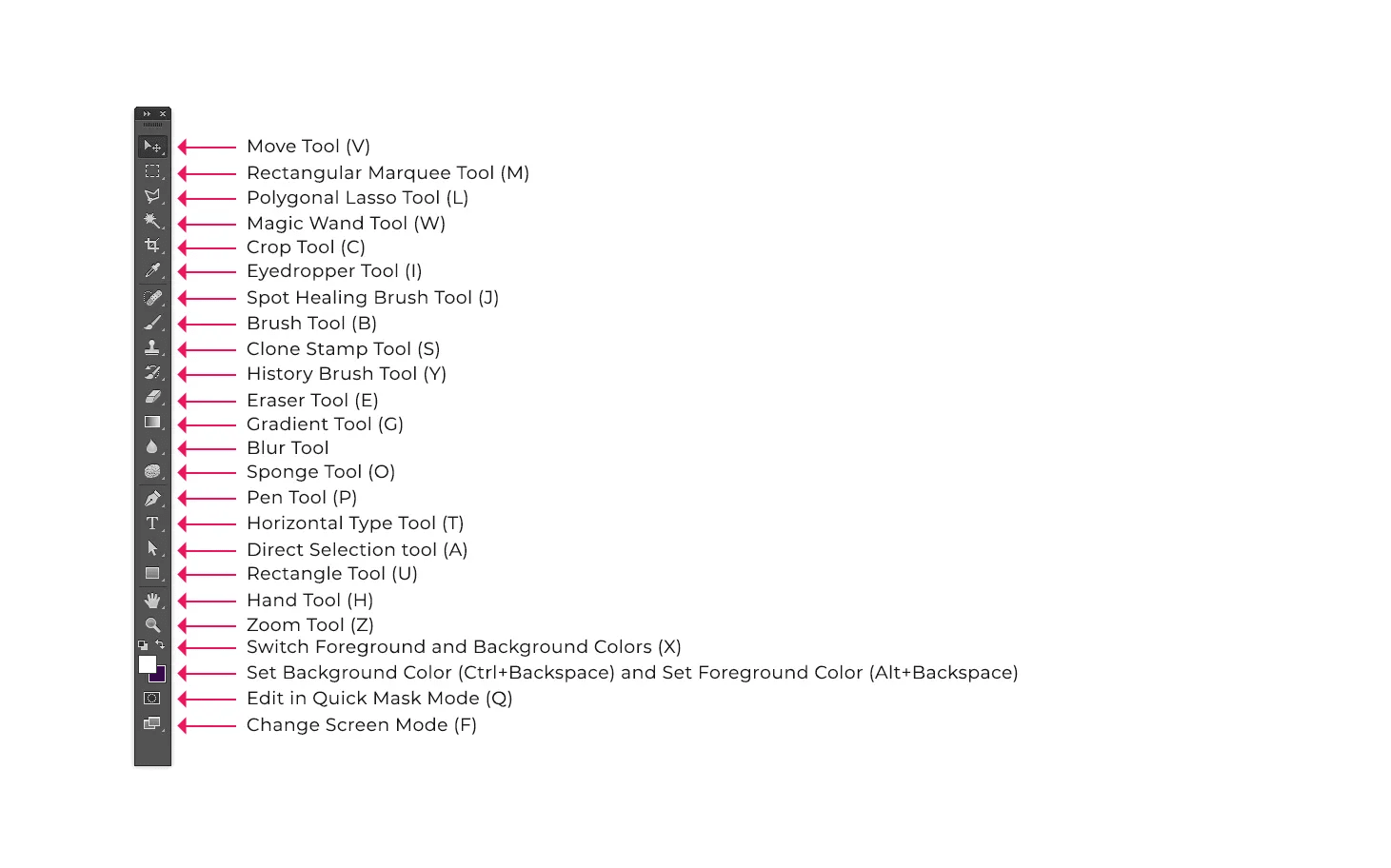
If you are a novice user of Adobe products you should keep in mind that you might not need to use all the of tools. In this tutorial, only the basic tools will be discussed in depth. Figure 3 shows an example of the tool-box.
Some tools in the toolbox have additional tools linked to them. These tools have small black triangles in the right-hand corner. To view the additional tools click and hold down on any tool that has a black triangle in the corner.
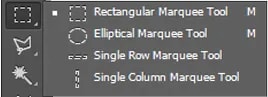
If you need to use some of the additional tools often, you can tear off the additional tools into their own toolbar. To tear off additional tools, do the following: