A fork is a personal copy of someone else's repository, made on GitHub — the standard way to contribute to a project without needing direct write access to the original.
| Step | What happens |
|---|---|
| 1. Fork | Click "Fork" on the original repo — GitHub creates a full copy under your own account |
| 2. Clone your fork | git clone your-fork-url — work on it locally, just like any other repository |
| 3. Branch and commit | Create a branch for the change, commit as usual — the earlier branching lessons apply directly |
| 4. Push to your fork | git push — sends the commits to your copy, not the original |
| 5. Open a pull request | From GitHub, propose merging your fork's branch into the original repository |
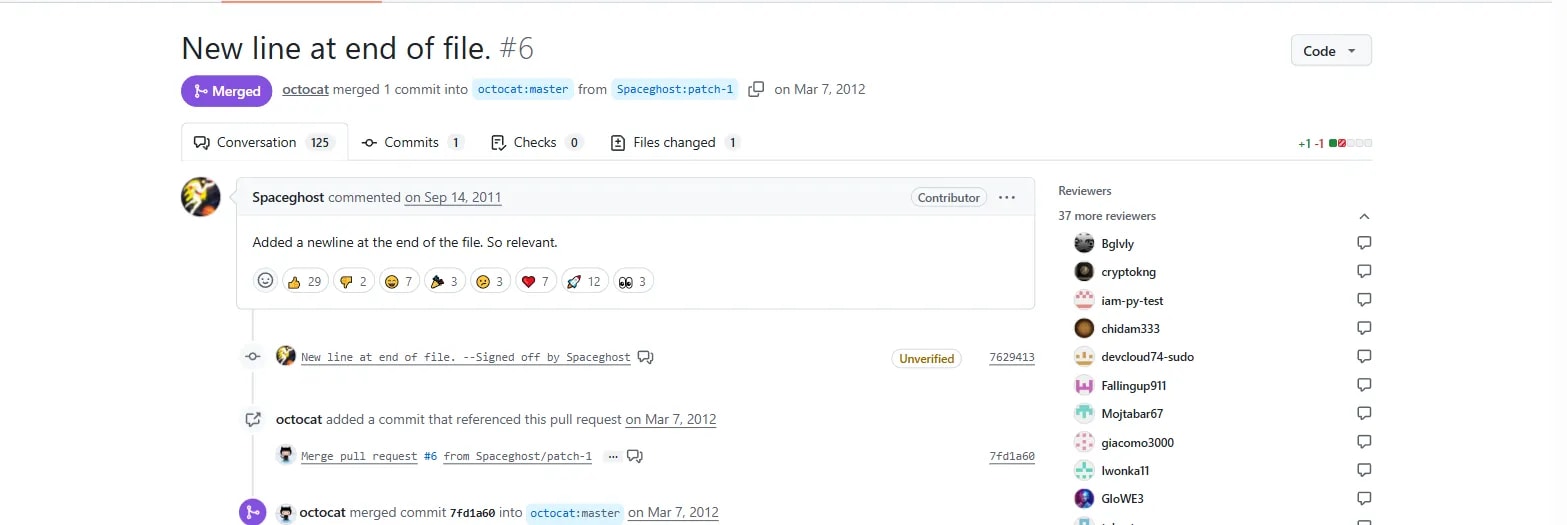
A pull request (PR) is a request to merge one branch into another, with a diff view, a comment thread, and (often) automated checks — the review step before code becomes part of the main project.
| Section | Shows |
|---|---|
| Conversation tab | The description and every comment on the PR |
| Commits tab | Every individual commit included in the PR |
| Files changed tab | A full diff of every file touched — the same +/- format from the earlier git diff lesson |
| Merge button | Available once checks pass and (usually) a reviewer approves |
The original repository keeps moving after a fork is made — pulling in its new changes keeps a fork from falling behind.
git remote add upstream https://github.com/original-owner/repo-name.git
git fetch upstream
git merge upstream/main
Opening a PR early is fine
A pull request doesn't need to be "finished" before opening it — a draft PR, opened early with a clear note that it's a work in progress, is a completely normal and welcomed way to get early feedback on direction before investing more time.